mainbhionline › QR code menu
QR code menu for your restaurant or café
Put a QR code on every table and the counter. Guests scan it with their phone camera and your digital menu card opens, with photos, prices and veg marks, and they can order straight from it.
Scan for our menu, then order
Guest scans
With the phone camera or Google Lens. No app to install, no PDF to download.
Menu opens
Dishes grouped by category, with photos, prices, half / full portions and veg or non-veg marks.
They order
On Standard and up, guests add dishes to a cart and pay by UPI or cash. The order pops up on your screen.
Everything a printed menu can’t do
Change prices any time
Edit a price or add a dish and it’s live within a minute. The QR code stays the same, so nothing is reprinted.
Veg, egg & non-veg marks
Mark each dish Veg, Vegan, Jain, Egg or Non-veg, so guests find what they eat at a glance.
Sizes & portions
Half and full plates, small and large, 250 g and 500 g, each with its own price.
Sold out in one tap
Hide a dish when it runs out and bring it back the next day.
Any language
Write dish names in Hindi, Marathi, Tamil or any language alongside English.
PDF menu too
Standard and Premium also make a printable PDF brochure from the same menu.
Table QR ordering
On Premium and Business, every table gets its own QR code. Orders arrive with the table number, so staff know where to serve.
Up to 200 tables
Print a QR for each table. Guests scan, order and the kitchen sees “Table 4”.
Tokens & KOTs
Every order gets a token number, and you can print bills and kitchen order tickets.
Sound alert
A sound and a desktop notification for every new order, on a phone, tablet or POS screen.
Where orders come from
See which orders came from table QR codes, Google, Instagram or WhatsApp.
Is the QR code menu free?
You can try it free for 14 days with no payment details. After that, a menu with up to 40 dishes and online ordering is on the Standard plan at ₹999 a year; table QR ordering and up to 100 dishes are on Premium at ₹2,499 a year. Prices include GST, with no commission on orders. Compare plans.
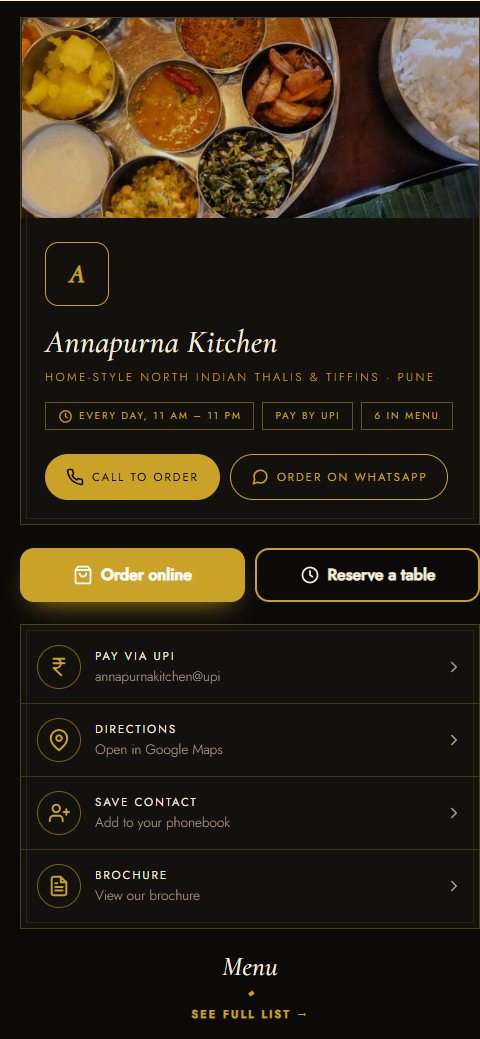
See a real one: open the Annapurna Kitchen sample card and scroll to the menu.
Questions about QR code menu
How do I make a QR code menu for my restaurant?
Sign up, add your dishes with prices and photos, and pick a design. Your menu link and QR code are ready in a few minutes. Download the QR code and print it for tables, the counter and takeaway bags.
Do guests need an app to scan the menu?
No. Most phone cameras and Google Lens read the QR code, and the menu opens in the normal browser.
Can I change the menu after printing the QR code?
Yes, as often as you like. Prices, dishes and photos update within a minute and the printed QR code keeps working.
Can guests order from the QR menu?
Yes, on Standard and up: they add dishes to a cart, choose dine-in, takeaway or delivery and pay by UPI or cash. On Premium, a separate QR code for each table sends the table number with the order.
Can I upload a PDF menu instead?
Your menu is built from your dish list rather than a PDF, so it’s easy to read on a phone and quick to update. Standard and Premium can still make a PDF version to print or share.
Is there a free QR code menu?
The first 14 days are free. After that, plans start at ₹299 a year for a card with up to 10 items; restaurants usually choose Standard (40 items, ₹999 a year) or Premium (100 items, ₹2,499 a year).
Make your QR code menu today
Free for 14 days, no payment details needed. Your card link and QR code are ready in about 2 minutes.