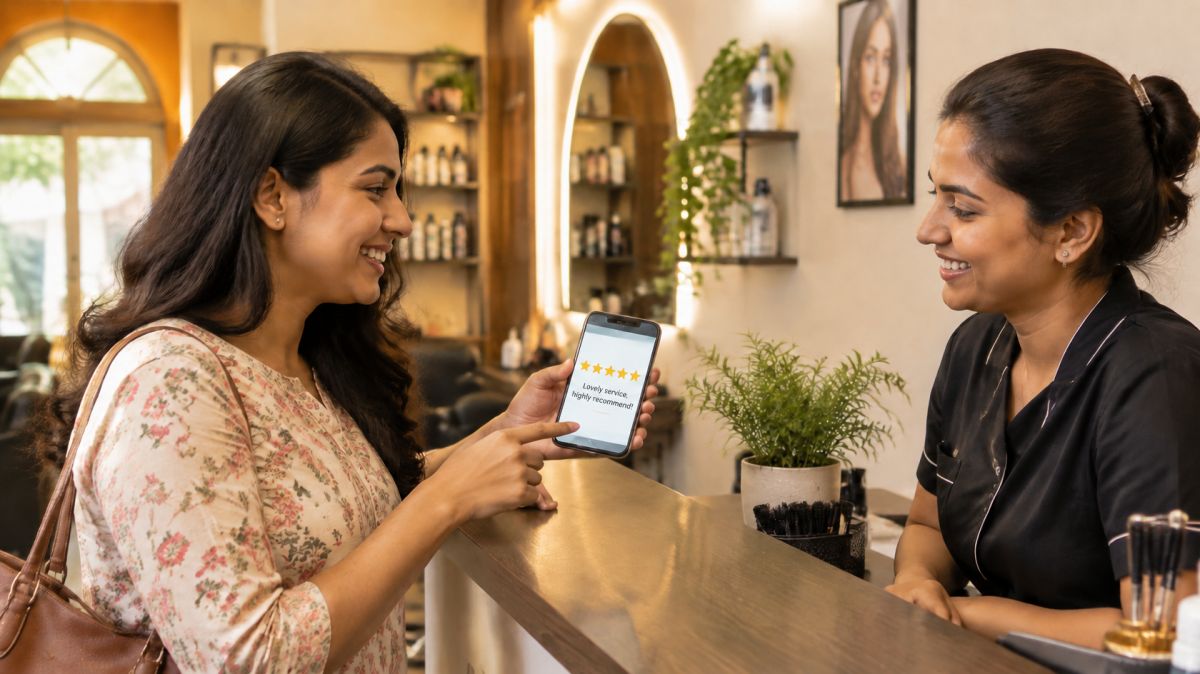
Why reviews matter so much for a local shop
When someone new to your area searches for a tailor, a sweet shop or a clinic, they see a list of names with stars next to them. Most people choose from the ones with good ratings and recent, real comments. A shop with forty honest reviews feels safer than one with three, even if the second shop is just as good.
- Reviews bring new customers. They are word of mouth that strangers can read.
- They help you show up higher on Google Maps and in local listings.
- They tell you what to improve, in your customers’ own words.
- Your replies show your character. People judge a shop by how it answers, especially a complaint.
Where reviews matter
- Google: the most important for local shops, because it appears on Maps and search. See getting your shop on Google Maps.
- Your own page or card, if it has reviews.
- Facebook or Instagram, if your customers use them.
- WhatsApp messages from happy customers. With their permission, these can be shared as screenshots on your status.
Start with Google. Once that is going well, add others.
When to ask
The best moment is right after a customer is happy, while the feeling is fresh:
- they praise your food, your stitching or your service out loud
- they pick up an order and look pleased
- a regular thanks you for something extra you did
- a problem you fixed has turned out well
Don’t ask in the middle of a rush, when someone is waiting, or when something has just gone wrong.
How to ask without feeling awkward
Most happy customers are glad to help; they simply don’t think of it. A short, personal request works best.
At the counter
“Thank you ji, it means a lot. If you have one minute, a review on Google would really help a small shop like ours.”
On WhatsApp, after an order
Thank you for ordering from us, Meena ji! If you liked it, could you leave a short review on Google? It helps other families find us. Here’s the link: (your review link)
Make it easy
- Get your review link from your Google Business Profile (look for “Ask for reviews” or “Share review form”).
- Save it as a quick reply on WhatsApp Business, like /review.
- Print it as a QR code on a small card at the counter: “Happy with us? Scan to leave a review.”
- Add it to the bottom of your bills or thank-you messages.
Ask everyone, not just your favourites
Ask every satisfied customer in the same simple way. Don’t pick only people you think will give five stars. A mix of genuine reviews looks more trustworthy than a wall of perfect ones.
What never to do
- Don’t pay for reviews or buy them from anyone. Fake reviews get removed and can harm your profile and your name.
- Don’t offer discounts or gifts in exchange for reviews. Google’s rules don’t allow rewarded reviews.
- Don’t write reviews for your own shop, or ask family and staff to pose as customers.
- Don’t ask only for good reviews, or ask unhappy customers not to post.
- Don’t post fake negative reviews on a competitor. Apart from being wrong, it can get your own profile into trouble.
How to reply to reviews
Reply to every review, good or bad, within a few days. Use the customer’s name, be specific, and keep it short. Other people read your replies to decide what kind of shop you are.
A happy review
Thank you so much, Priya ji! We’re glad the kaju katli reached your family fresh for the puja. See you again at Diwali!
Mention something specific so it doesn’t look copy-pasted. Thank them, and invite them back.
A mixed review (“good food, but slow”)
Thank you for the kind words about the food, Amit ji, and sorry about the wait on Sunday. We’ve added a helper for weekend evenings. Hope to serve you faster next time!
Thank them for the good part, accept the problem, and say what you’re doing about it.
An unhappy review
- Wait an hour before replying, so you don’t write in anger.
- Apologise for their experience, even if you think they’re partly wrong. You’re apologising that they’re unhappy.
- Don’t argue or give long excuses in public.
- Offer to fix it offline, with your number.
- Then actually call and fix it.
We’re really sorry, Rakesh ji. A late delivery isn’t how we want to serve you. Please call us on 98xxxxxxxx; we’d like to make this right.
Many unhappy customers update or remove their review once they feel heard and the problem is solved. Even if they don’t, future customers see a shop that takes complaints seriously.
A fake or abusive review
If a review is clearly fake (someone who was never your customer), abusive, or about a different shop, you can report it from your Google profile. Reply once, calmly, so others see you handled it:
We can’t find any order under this name and would like to understand what happened. Please call us on 98xxxxxxxx.
Turn reviews into a better shop
Reviews are free advice from your customers. Once a month, read through them:
- Look for patterns. One complaint about rude staff could be a bad day; three means you need to talk to your team.
- Note what people love. If many mention your samosas or your quick alterations, put those front and centre in your photos and catalogue.
- Share good reviews with your staff. It lifts everyone, and they’ll want more.
- Fix the small things people mention: a missing price tag, a dark corner, a slow billing step.
Share your good reviews (with permission)
- Put a screenshot of a lovely review on your WhatsApp status once in a while.
- Print one or two on a small board near the counter.
- Use a short quote on festival posters: “Best gulab jamun in Shastri Nagar” — Neha S.
Ask the customer first if you’re using their name, and never change their words.
A simple monthly routine
- Ask every happy customer this month, at the counter or on WhatsApp.
- Reply to every new review within a few days.
- Read all reviews once and write down one thing to improve.
- Share one good review on your status.
Reviews are not a trick to beat other shops. They are your customers telling the town what you are like. Serve well, ask simply, and reply with respect.
This guide is general information to help local shops. It is not professional advice.
